

Every mile, on the record.
A free, self-hosted logbook for your cars, bikes, sleds and semis: fuel, maintenance, reminders and costs, kept on your own server.

Why I made this
For years my truck’s history lived in three places: a spreadsheet I stopped updating, a shoebox of receipts, and a sticker in the corner of the windshield that was usually wrong. I wanted one place that knew when the oil was actually due, what the truck really gets per gallon, and what it has cost me since I bought it, without handing that to yet another app that wants an account and a subscription.
Axlebook is that place. It runs on your own server or a Raspberry Pi in the closet, it doesn’t phone home, and your records never leave your network unless you send them somewhere.
Log it at the pump
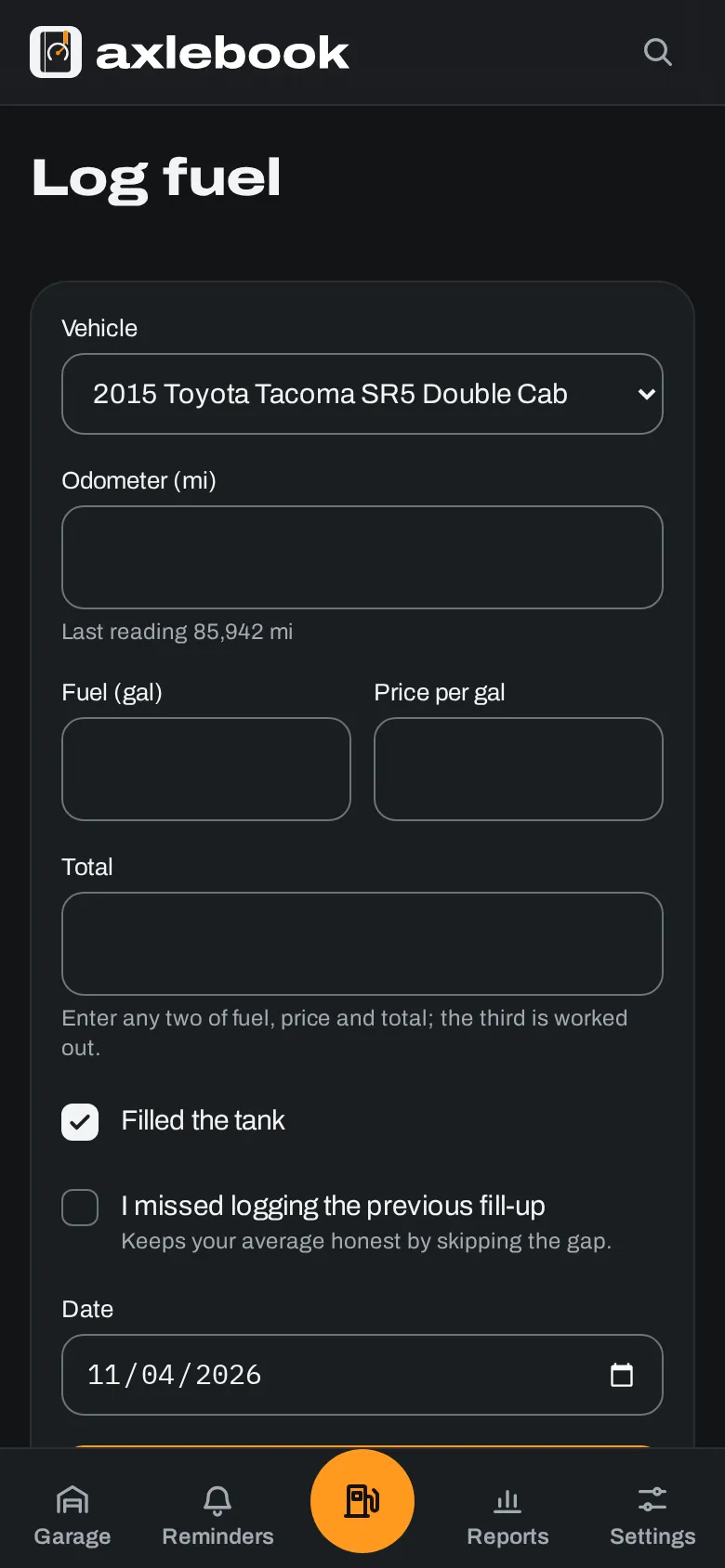
The fill-up form remembers your vehicle and fills in today’s date. Type any two of gallons, price and total and it works out the third. No signal at the gas station? It keeps the entry on your phone and sends it when you’re back online.
Economy is worked out full tank to full tank, so a partial fill carries into the next one and a fill-up you forgot to log only voids that stretch instead of dragging down the average.
The next oil change schedules itself
Reminders can be due by date, by miles, or whichever comes first. When you log the job, the next one is set from that record, not from the old due date, so a late oil change doesn’t make the next one early.
Each vehicle also gets a maintenance schedule for its type, matched against what you’ve already logged, so you can see what’s overdue on a truck you’ve owned for years.

Bring the spreadsheet you already keep
Upload the .xlsx or .csv you’ve been keeping, even if it has a tab per vehicle or every vehicle in one sheet. Axlebook works out which column is which, what units you used and which vehicle each row is for, then shows you a preview before anything is saved. Import it twice and the second time skips what’s already there.

Also in the box
- Service, repair, upgrade and expense records with receipts attached
- Motorcycles, dirt bikes, ATVs, snowmobiles, semis and trailers
- Engine-hour meters and electric vehicles
- Parts on a shelf, used up as you log jobs
- Reports by month and category, printable or as CSV
- Notifications by email, ntfy, Gotify, Discord or webhook
- Household accounts, sharing and single sign-on
- Inspections and an IFTA worksheet for owner-operators
- A calendar link for due dates
- A REST API with docs on your own server
Your server, your data
No account to create, nothing to pay, and nothing sent anywhere you didn’t set up yourself. One button in Settings downloads a backup of every record, photo and receipt.
- Runs on
- Docker, amd64 or arm64
- Database
- SQLite, or Postgres
- Telemetry
- None
- License
- AGPL-3.0
Running it
git clone https://github.com/aubergine-ux/axlebook.git
cd axlebook
docker compose up -d
Then open http://localhost:8080 and create your account. The docs cover configuration, backups and reverse proxies. The code is on GitHub.